WhatsApp + Shopify Integration: The Complete Guide (2026)
Connecting WhatsApp to Shopify automates your entire post-purchase flow — order confirmations, shipping updates, COD verification, cart recovery and support — on a channel with ~98% open rates. This 2026 guide covers what you can automate, the two ways to integrate, step-by-step setup, catalog sync, costs and the mistakes to avoid.

On this page
Your Shopify store sends order emails that around 80% of customers never open. Meanwhile, the same customer will read a WhatsApp message within minutes. That gap is the entire case for connecting the two — and once you do, your whole post-purchase flow runs itself.
This guide covers what you can automate, how to set it up, and what it costs.
Why connect WhatsApp to Shopify
The numbers make the argument:
Order confirmations see open rates close to 98% on WhatsApp, versus roughly 20% for email.
Shipping and delivery updates cut "where is my order?" support queries by 40–50% — a direct saving in support hours.
Abandoned cart reminders sent within 15–30 minutes recover 20–30% of carts.
COD confirmation reduces fake orders and RTO losses — the single biggest margin leak for Indian D2C stores.
None of this is marketing fluff you have to write. It's transactional messaging that fires automatically from events already happening in your Shopify admin.
What you can automate
Once connected, these run without anyone touching them:
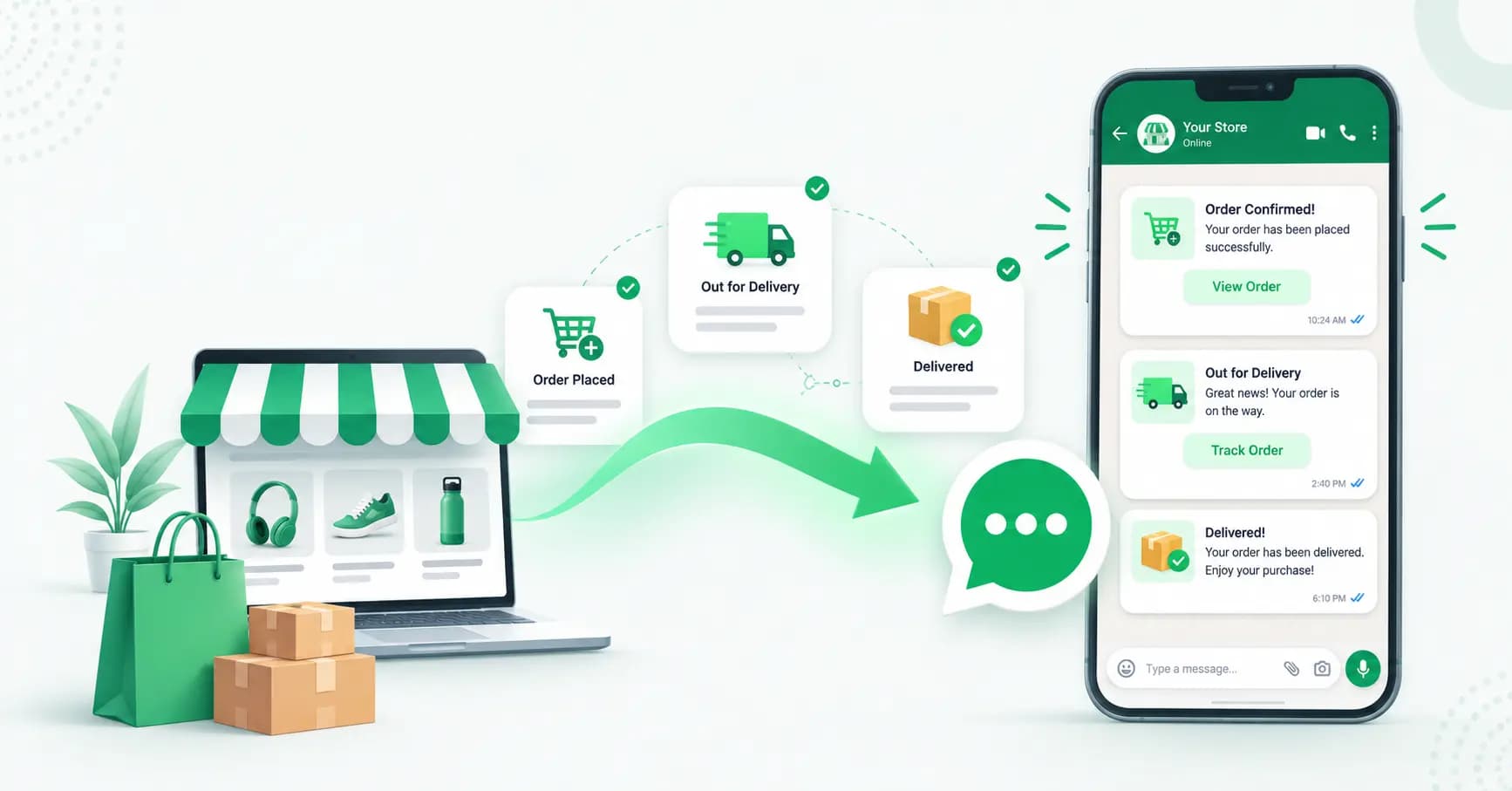
Order confirmation — sent the moment payment succeeds
Shipping and dispatch updates with tracking links
Out-for-delivery and delivered notifications
COD order confirmation — one-tap YES/NO that auto-tags the order in Shopify
Abandoned cart recovery with the cart link and optional discount
Back-in-stock alerts for products customers wanted
Review and feedback requests after delivery
Cancellation and refund updates
Two-way support — customers reply and reach a real inbox
Promotional broadcasts to opted-in customers (festive sales, launches)
The two ways to integrate
Be clear about which you actually need, because they're very different:
Basic: a WhatsApp chat button
Add a chat widget to your storefront so visitors can message you. Free, takes minutes, no API. It's useful — but it's manual. Nothing automates, and it doesn't scale past a handful of chats a day.
Advanced: the WhatsApp Business API
Connect your store to the WhatsApp Business API through a platform. This is what enables everything in the list above — automated triggers, templates, catalog sync, a team inbox and analytics. It has a per-message cost and needs a platform, and it's what any store doing real volume uses.
Most stores end up with both: a chat button for inbound questions, and the API for automation.
What you need before you start
A Shopify store (any plan)
The WhatsApp Business API via a provider
A dedicated phone number not already in use on regular WhatsApp
Approved message templates for each automation
Phone number capture at checkout — set this to required in Shopify, or most of your automations have no one to message
That last point catches people out constantly. If phone is optional at checkout, you'll only reach a fraction of your customers.
How to set it up, step by step
Step 1 — Connect the WhatsApp Business API
Sign up with a provider and complete Meta's Embedded Signup — business verification, number registration and display name approval. Usually live within one to two hours.
Step 2 — Connect your Shopify store
Link your store to your WhatsApp platform. This wires up the Shopify webhooks that trigger your messages — typically checkout created (for cart recovery), order paid (for confirmation and tracking) and order cancelled (for refund updates).
Step 3 — Require phone number at checkout
In your Shopify checkout settings, set the phone field to required. Without a number, no automation can fire.
Step 4 — Create and submit your templates
Write a template for each automation — order confirmation, shipping update, COD confirmation, cart recovery — using variables like {{1}} for the customer's first name, {{2}} for order total and {{3}} for the cart or tracking link. Submit them for Meta's approval (usually minutes to a few hours).
Step 5 — Configure your triggers and timing
Set when each message fires. For cart recovery, a delay of around 30 minutes works best — and there's a hard constraint worth knowing: Shopify's abandoned checkout URL expires in roughly two hours, so your first reminder must go out well within that window or the link is dead. Also set stop conditions, so a recovery message doesn't fire after the customer has already ordered.
Step 6 — Sync your catalog (optional)
Connect your Shopify catalog to Meta Commerce Manager so products appear inside WhatsApp with images, prices and availability. The feed updates hourly or near real time. Start with your best-selling collection rather than your entire inventory — a focused catalog browses better.
Step 7 — Test with a real order
Place a test order, abandon a checkout, then complete one. Confirm each message fires at the right time with the right variables filled in. Do this before going live — a broken variable in a live order confirmation looks terrible.
Step 8 — Monitor
Track messages sent, open and reply rates, and checkout completions attributed to WhatsApp. Tune your timing and copy from real data.
The automations that matter most
Order confirmation
Fires the instant payment succeeds. Include the order number, total and a tracking link. This is a utility template — cheap, and it doesn't need marketing opt-in because it's a response to a purchase.
Shipping and delivery updates
Dispatch, out-for-delivery and delivered notifications with tracking. This is where you claw back 40–50% of your "where is my order?" tickets, which for most stores is the single biggest support category.
COD confirmation — the India essential
Cash-on-delivery drives fake and impulse orders, and every RTO costs you shipping both ways. A one-tap confirmation message ("Reply YES to confirm order #1234") filters those out before dispatch and can auto-tag the order in Shopify for your fulfilment team.
Better still: follow up with a COD-to-prepaid offer — a small discount to pay upfront via a payment link. It cuts RTO risk and improves cash flow. (See our guide on accepting payments on WhatsApp.)
Abandoned cart recovery
The highest-revenue automation of the set, recovering 20–30% of carts when timed well. We cover the full sequence, timing and templates in our dedicated guide to WhatsApp abandoned cart recovery for Shopify.
Back-in-stock alerts
Customers who wanted something out of stock are your warmest possible audience. A WhatsApp alert the moment it returns converts far better than an email sitting unopened.
Review requests
Send a few days after delivery, when the customer has actually used the product. Response rates beat email by a wide margin.
Templates, categories and costs
Getting this right controls your bill:
Utility templates — order confirmations, shipping updates, COD confirmation. Cheap (a fraction of a rupee in India), and permitted as a response to a customer action.
Marketing templates — cart recovery, promotions, back-in-stock offers, festive campaigns. These require explicit opt-in and cost more (around ₹0.86 per message in India).
Service replies — free within the 24-hour window when a customer messages you.
Don't label a marketing message as utility to save money. Meta re-categorises it, and a pattern of it damages your quality rating and your sending limits. Estimate your monthly cost with our pricing calculator.
Common mistakes to avoid
Leaving phone optional at checkout — the number one reason integrations underperform.
Sending cart recovery too late — past the ~2-hour window, Shopify's checkout link is dead and your message is useless.
No stop conditions — nothing annoys a customer more than a "you forgot something!" message after they've paid.
Over-messaging — order updates are welcome; five promos a week gets you blocked.
Skipping the test order — broken variables in live messages destroy trust.
Ignoring replies — these messages are two-way. If customers reply and nobody answers, you've built a very expensive dead end. Route replies to a shared inbox or an AI chatbot.
How Splashify Pro connects to Shopify
Splashify Pro wires your Shopify store to WhatsApp without any code: automatic order confirmations and tracking updates, COD verification with order tagging, abandoned cart recovery timed inside Shopify's checkout-link window, back-in-stock and review requests, catalog sync, and an AI chatbot plus shared inbox to handle the replies. Payments connect through Razorpay, PhonePe, PayU and Cashfree, and you get Instagram, RCS and email in the same platform — INR-native, with no markup on Meta's rates at volume.
Frequently asked questions
How do I integrate WhatsApp with Shopify?
Connect the WhatsApp Business API through a provider, link your Shopify store so its webhooks (checkout created, order paid, order cancelled) trigger messages, make the phone field required at checkout, create and get your templates approved, configure your timing and stop conditions, then test with a real order before going live.
Can I integrate WhatsApp with Shopify for free?
You can add a free WhatsApp chat button to your storefront, but that's manual only. Automated order confirmations, shipping updates, COD verification and cart recovery need the WhatsApp Business API, which has per-message costs plus a platform subscription.
What can I automate between Shopify and WhatsApp?
Order confirmations, shipping and delivery updates, COD order verification, abandoned cart recovery, back-in-stock alerts, review requests, cancellation and refund updates, two-way customer support, and promotional broadcasts to opted-in customers.
How much does WhatsApp Shopify integration cost?
You pay your platform subscription plus Meta's per-message charges. Most Shopify automations are utility templates, which are cheap in India (a fraction of a rupee each). Marketing messages like cart recovery and promotions cost more, around ₹0.86 per message, and require opt-in.
Do customers need to opt in to receive WhatsApp order updates?
Transactional messages like order confirmations and shipping updates are utility templates sent in response to a purchase. Marketing messages — cart recovery, promotions, back-in-stock offers — require explicit opt-in, which you should collect at checkout.
Why aren't my Shopify WhatsApp messages sending?
The most common causes are the phone field being optional at checkout (so there's no number to message), templates not yet approved, missing or misconfigured webhooks, or a cart-recovery message firing after Shopify's checkout link has expired. Run a test order to isolate which.
How soon should I send an abandoned cart message?
Around 30 minutes after abandonment. Critically, Shopify's abandoned checkout URL expires in roughly two hours, so your first reminder must go out well inside that window or the customer clicks a dead link.
Can I sync my Shopify catalog to WhatsApp?
Yes. Connect your Shopify catalog to Meta Commerce Manager and products appear inside WhatsApp with images, prices and availability, with the feed updating hourly or near real time. Start with a focused collection rather than your full inventory.
The bottom line
Shopify already knows when someone abandons a cart, pays for an order or gets a shipment. Connecting WhatsApp just puts those events on a channel customers actually read. Get the basics right — phone required at checkout, templates approved early, cart recovery inside the two-hour window, and someone (or something) answering replies — and your post-purchase experience runs itself while your support queue shrinks.
Connect your Shopify store to WhatsApp with Splashify Pro → — order updates, COD verification, cart recovery and AI support in one platform. No code, live in 1–2 hours, free for 14 days.
Related posts
More articles you might find useful.

White-Label WhatsApp API: The 2026 Guide for Agencies & Resellers
White-labelling the WhatsApp Business API lets agencies sell messaging under their own brand, set their own pricing and keep the margin — without becoming a Meta partner or building anything. This 2026 guide covers how the model works, the real economics with INR numbers, what to look for in a platform, and how to launch.

WhatsApp Business Statistics 2026: 60+ Data Points for India & Global
The most accurate WhatsApp statistics for 2026 — user numbers, business adoption, India-specific data, marketing performance, pricing and AI trends. Every figure sourced, with conflicting estimates flagged rather than copied, so you can cite these numbers with confidence.
WhatsApp for Restaurants: Build Direct Orders & Cut Aggregator Commission (2026)
Swiggy and Zomato take 18–30% of every order. A direct WhatsApp order costs 4–6%. This 2026 playbook shows Indian restaurants and cloud kitchens how to build a direct ordering channel on WhatsApp — capturing customer numbers, automating reorders, taking reservations and running specials — without walking away from the aggregators that bring you discovery.